Axon: remote AI assistance

Today I’m presenting a new project going on since the end of March 2026.
At the time I didn’t have any clue about Go programming language. Now something more due to some experiments and the reading of Learning Go, 2nd Edition.
I admit that at the beginning this project was just some steps above vibe-coding. I didn’t followed a spec-driven development approach, also because the complexity wasn’t so high to deserve that and a well structured prompt was enough to solve one issue: being able to extend AI assistance to computers (or people) not provided by any AI coding agent or subscription.
Why #
The fact: I have a linux server at home that I use as a media streaming server for:
- music: I run a fork of Koel, a PHP streaming server backed by Laravel and Vue.js which I tweaked a bit for my purposes and I contribute to it if I see issues that could be improved (at least for my usage)
- a Jellyfin instance for videos
I’ve also some documents about IT, books, and the like, but I admit that 95% of the usage is relegated by the aforementioned services. From time to time I need to do some simple recurring (and boring) activities like:
- do a security assessment: update programs and/or packages used by the server itself and its running applications
- update the Koel fork, update the custom branch resolving the conflicts that may arise, rebuilding the frontend (if necessary) and push the custom branch
Entering Axon #
The code is hosted at https://github.com/chrisvoo/axon. The architecture is shown by the following diagram:
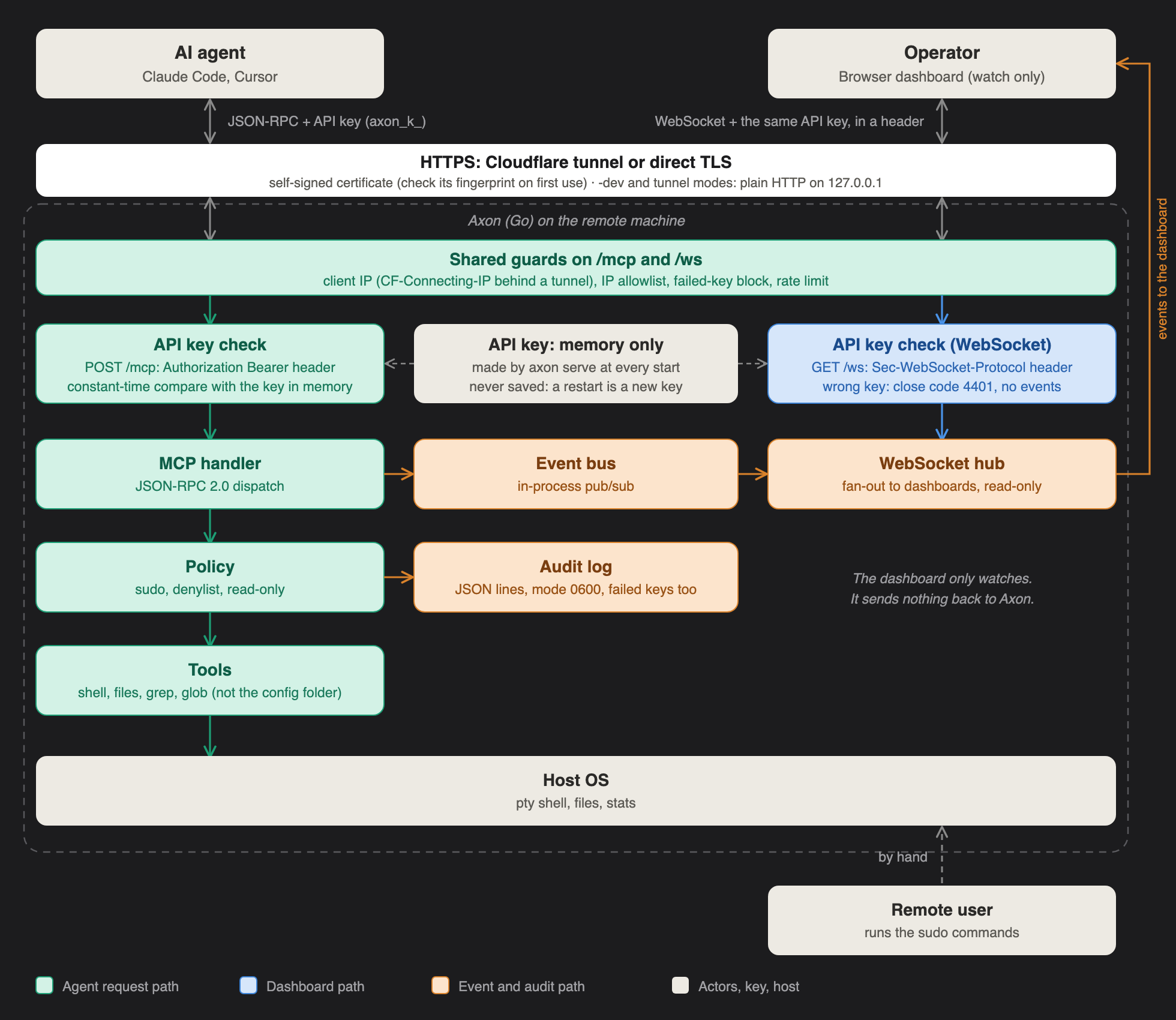
From a side we have the operator, that is the host receiving assistance from the AI agent, presented in the left.
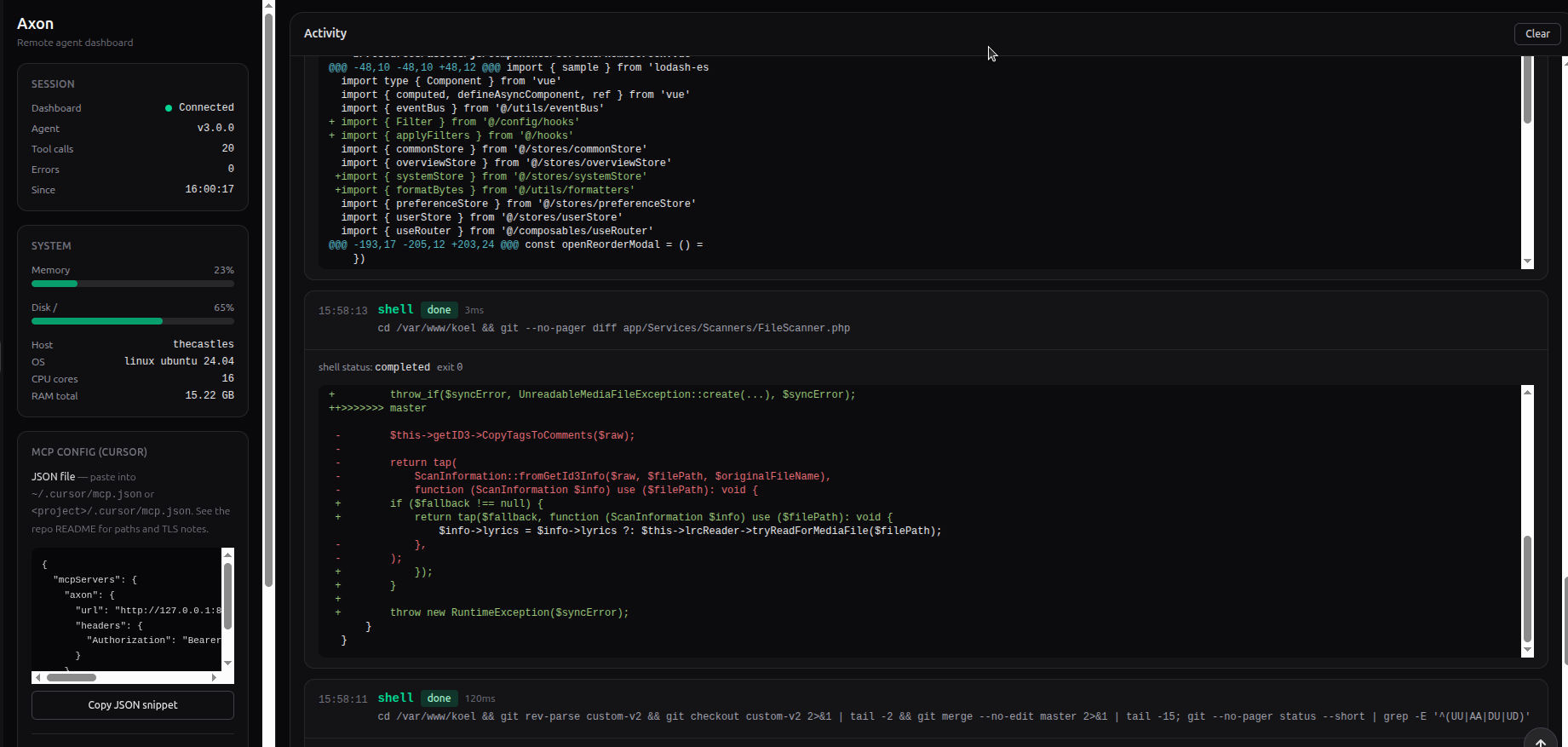
- The operator starts the MCP server keeping an in-memory key. It also has a React dashboard server by it used by the operator to watch the agent activities. You can access it by providing the API key displayed in the terminal
- The server usually opens a temporary Cloudflare tunnel used for the proxied communication between the parts. The key will be used in the header as bearer token.
- The server prints in the standard output the key and the command to setup the MCP in the agent. This information must be securely communicated to the other side and it’s up to the user choosing a secure channel (must be treated exactly like a password).
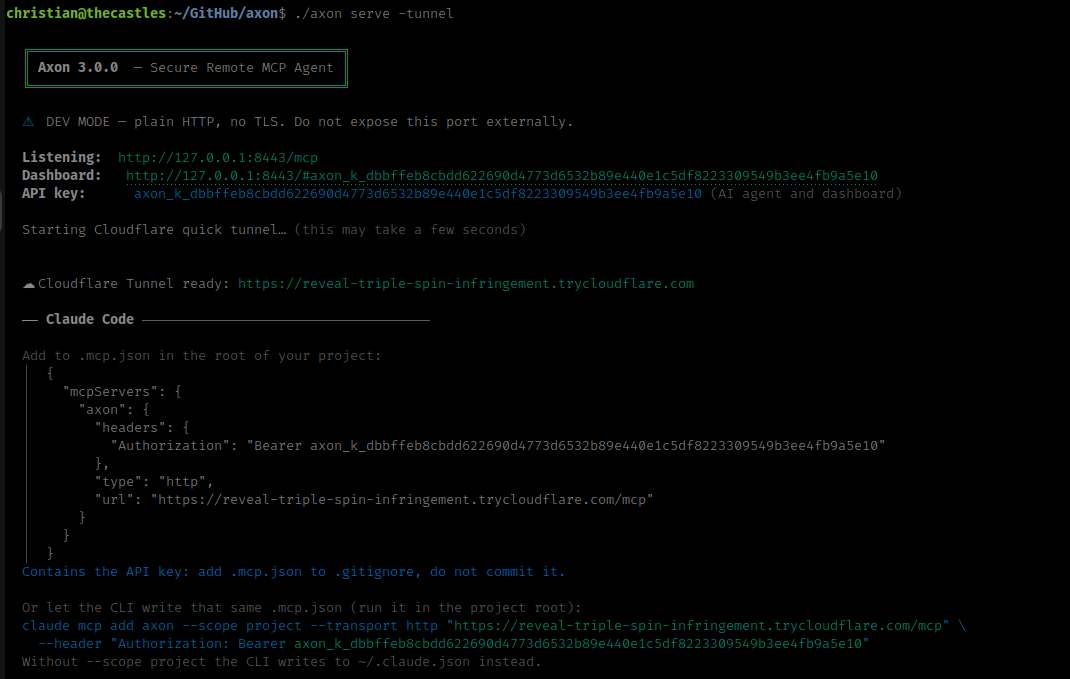
- Once setup the MCP, I can simply invoke any request or using skills for recurring tasks.
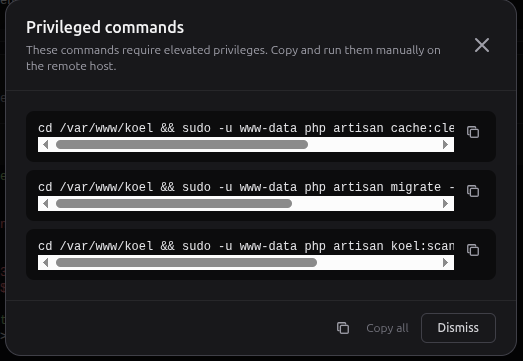
- If the agent needs privileged commands, it will display a pop-up in the operator’s dashboard, asking to execute the commands, and usually redirecting the outputs to temporary files that will be analyzed by the AI.
Live example with a Koel Skill #
The unpublished Koel skill I have locally serves simple goals:
- sync my fork with the latest updates from the original Koel
- merge the updates and solve the conflicts if present, keeping my original modifications
- commit and push the updates in my fork
- rebuild Vue.js app and clear cached stuff on the backend if necessary
So this is an example from the agent side regarding its activity: I’ve invoked the skill and then we can see it automatically solves the conflicts, since it’s instructed to keep my customisations and blend the updates.
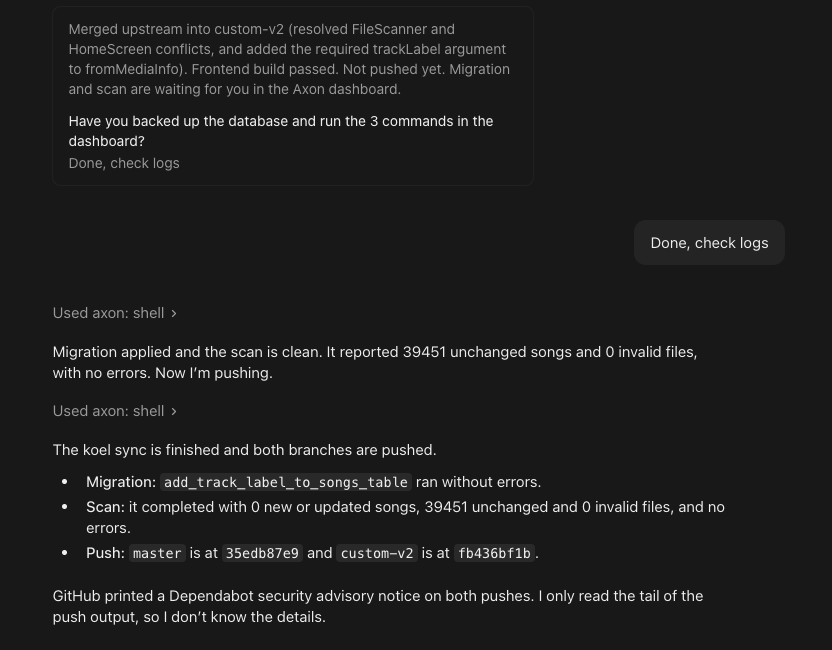
From the operator side we’ll see the activities taken by the agent: